The Agony of Manual Wide-Table DML Operations
Ever stared at a Snowflake table with 100+ columns and felt your soul leave your body at the thought of manually typing them all in a MERGE statement? Yeah, me too.
In this blog we’ll discuss on how to dynamically handle the columns. I dare say it’s a framework.
Objects like Salesforce—when integrated with Snowflake—often have 100+ columns (e.g., Account, Opportunity, etc.). If you need to implement say: SCD-1, where you must use every column in insert/update pairs, it’s tedious.
Imagine this:
MERGE INTO target_table tgt
USING source_table src
ON tgt.id = src.id
WHEN MATCHED THEN
    UPDATE SET
        tgt.col1 = src.col1,
        tgt.col2 = src.col2,
        -- ... (100 more lines of this nonsense)
        tgt.col100 = src.col100
WHEN NOT MATCHED THEN
    INSERT (col1, col2, ..., col100)
    VALUES (src.col1, src.col2, ..., src.col100);
Not only is this excruciatingly painful to do manually, also there’s a risk:
- Manual Error? Oh yes!
- Table Structure changed? Good luck updating those columns
- Bored to death? Of course! There must be a way to fetch columns dynamically, so let’s dive in.
Framework Foundations
Here’s the approach which should be followed:
- Query
INFORMATION_SCHEMAfor Column Names
sql00 = '''select column_name
                from information_schema.columns
                where table_name = 'OPPORTUNITY'
                and table_schema = 'RAW'
                order by ordinal_position;'''
sql01 = snowpark_session.sql(sql00).collect() ## executing the above sql query- Dynamically build the
MERGEstatement using Python
columns = [col[0] for col in sql01]  # Get column names
update_pairs = ",".join([f"tgt.{col} = src.{col}" for col in columns])
insert_pairs = ",".join(columns)  # INSERT columns
insert_values = ",".join([f"src.{col}" for col in columns])
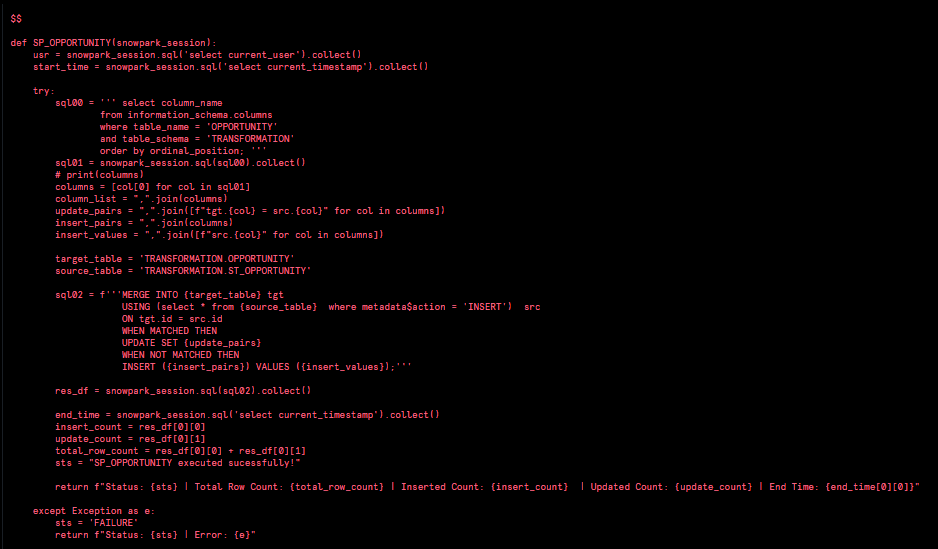
As we get all the required columns and we store it in columns variable, using columns variable we’ll build update_pairs, insert_pairs and insert_values as all of it is necessary for the MERGE statement.
This block will be very helpful if there are any derived columns like creating
HASHvalue from the source table.
- Execute dynamic
MERGE
target_table = 'TRANSFORMATION.OPPORTUNITY'
source_table = 'TRANSFORMATION.ST_OPPORTUNITY'

sql02 = f'''MERGE INTO {target_table} tgt
                    USING (select * from {source_table} where metadata$action ='INSERT') src
                    ON tgt.id = src.id
                    WHEN MATCHED THEN
                    UPDATE SET {update_pairs}
                    WHEN NOT MATCHED THEN
                    INSERT ({insert_pairs}) VALUES ({insert_values});'''

res_df = snowpark_session.sql(sql02).collect()
It’s better to store source and target table in variables than using it directly.
Real-World Example: Salesforce Opportunity Object
To relate with real time scenario I’ve used Opportunity object which has 100+ columns and it’s mostly used when there’s an integration from Salesforce to Snowflake.
Here are columns pulled from INFORMATION_SCHEMA:
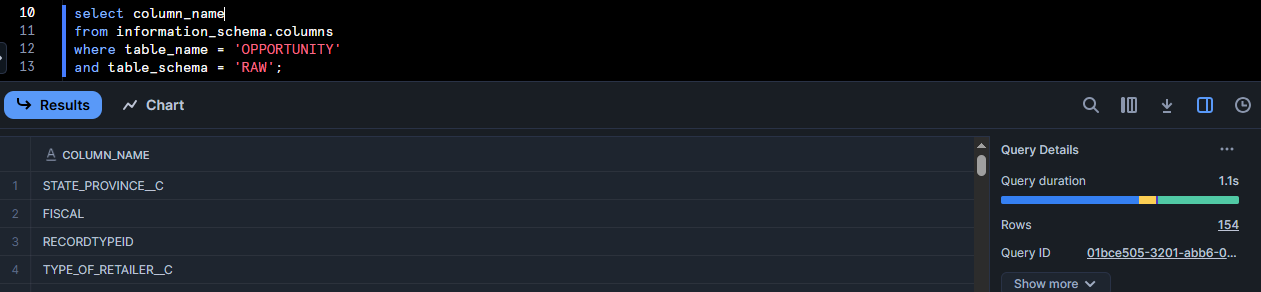
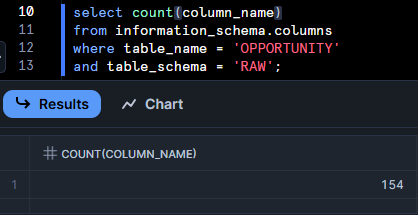
Total columns: 154
Demo
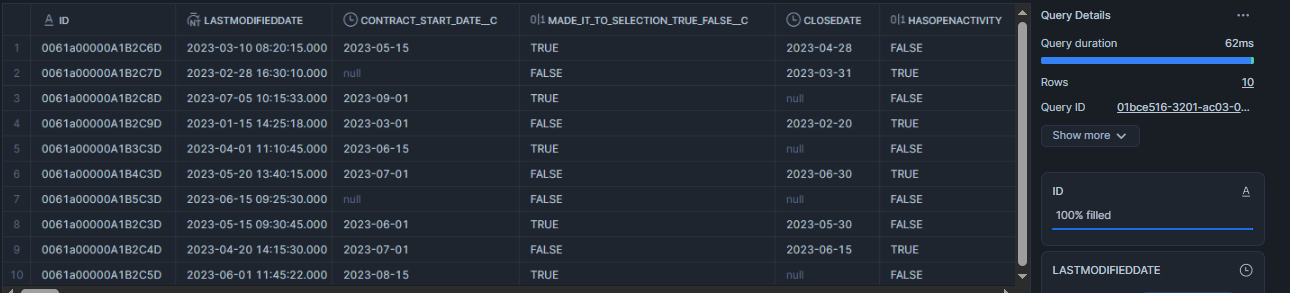
Sample Opportunity Data:
No records in target table:

Executing the stored procedure
Stream creation for CDC
create or replace stream TRANSFORMATION.ST_OPPORTUNITY
on table raw.OPPORTUNITY
show_initial_rows=true;
Post Execution result

Updated 1 record to validate:
Executing the procedure again, record got updated:

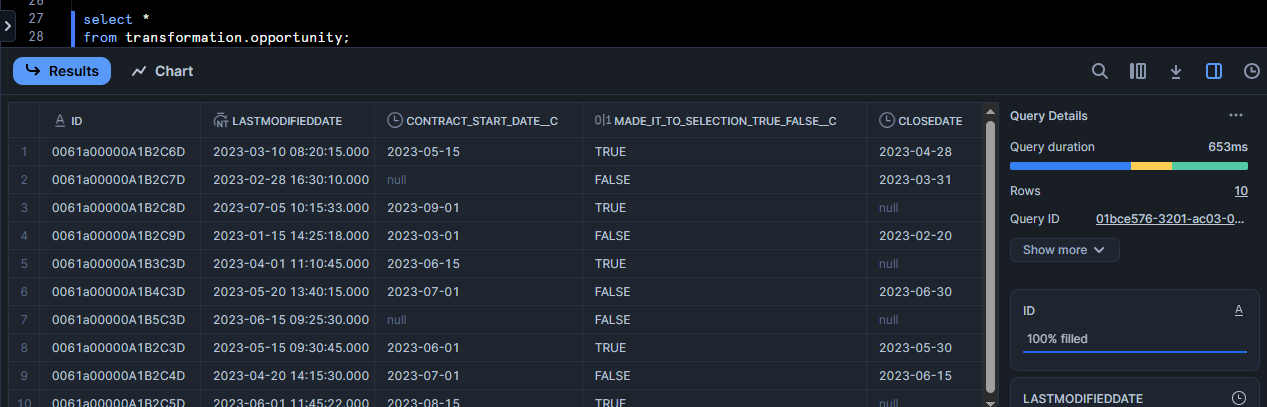
Data in target table:
Why this is helpful?
- No manual column listing → Zero typos
- Automatically adapts if new columns are added
- Saves hours of boring, repetitive work
- Clean, maintainable code (future you will thank you)
Few things that should be considered:
- Exclude certain columns (like audit fields) by filtering the
INFORMATION_SCHEMAquery. - Dynamic column handling can be used in most of the DML operations. Try it!
- Add dry-run mode to test before executing.
- Log everything (because debugging blind is painful).
Try it out! And if you’ve got a cooler way to do this, hit me up—I love lazy (efficient) solutions.